ACES – Workflow

For an *exr pipeline in 16-bit it is recommend to switch to an ACES standard.
What is to do in Unreal?
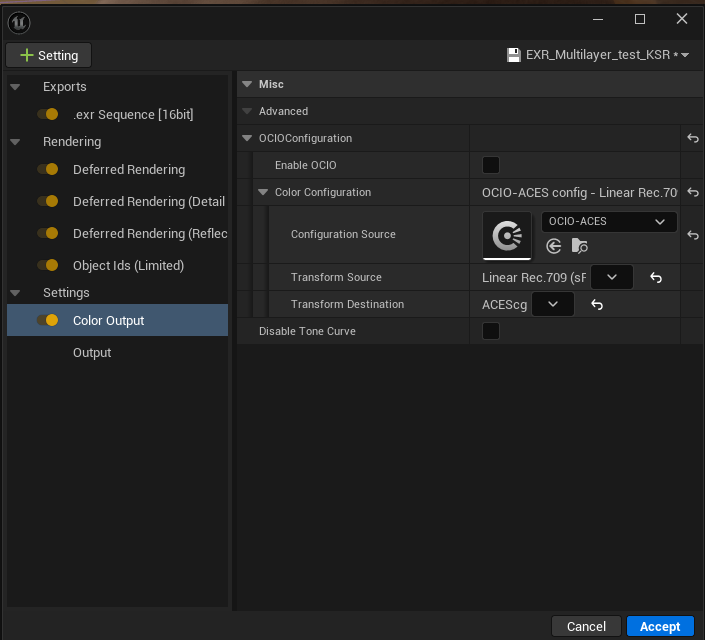
There will be an OCIO in /All/Game/Cinematics/MoviePipeline/Presets/OCIO called OCIO-ACES.
This file is to put in our *.exr output in OCIO-configuration with « Linear Rec.709 » as source and « ACES » as destination.
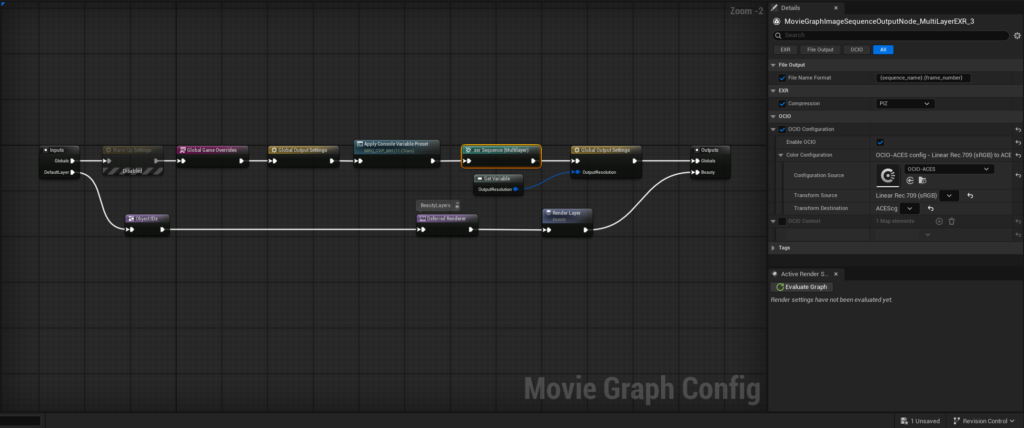
For the advanced MovieGraph workflow, OCIO the find directly in the *exr output module.
What is to do in DaVinci?
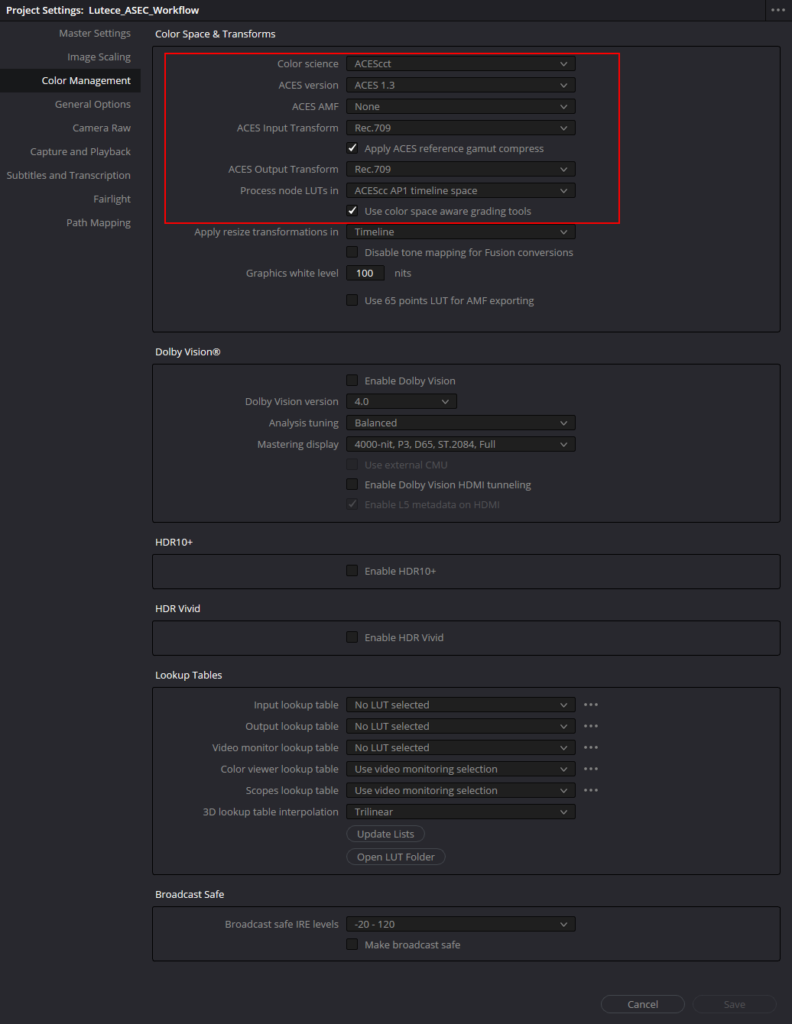
In your « Project Settings/Color Management » set in « Color Space Transform » the corresponding in and out’s like in the image below:
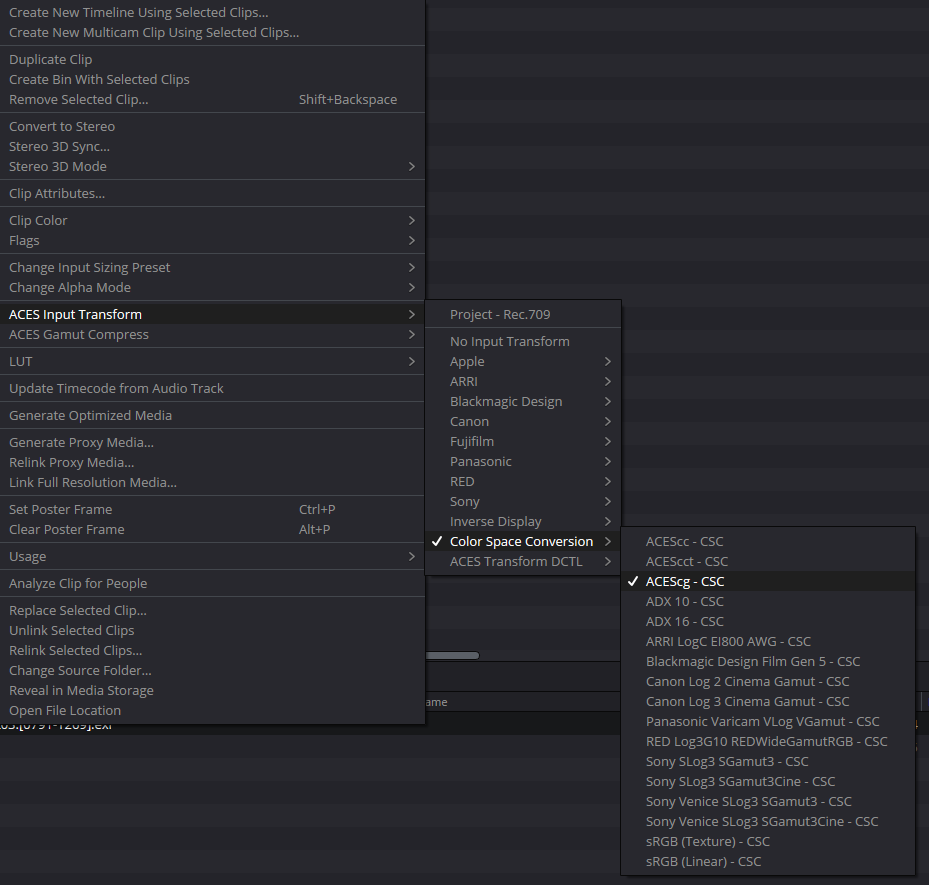
To import your *exr-sequence it is important to set the ASCE-Transform because in the sequence is no metadata, so we have to provide it in the media properties!
AfterFX
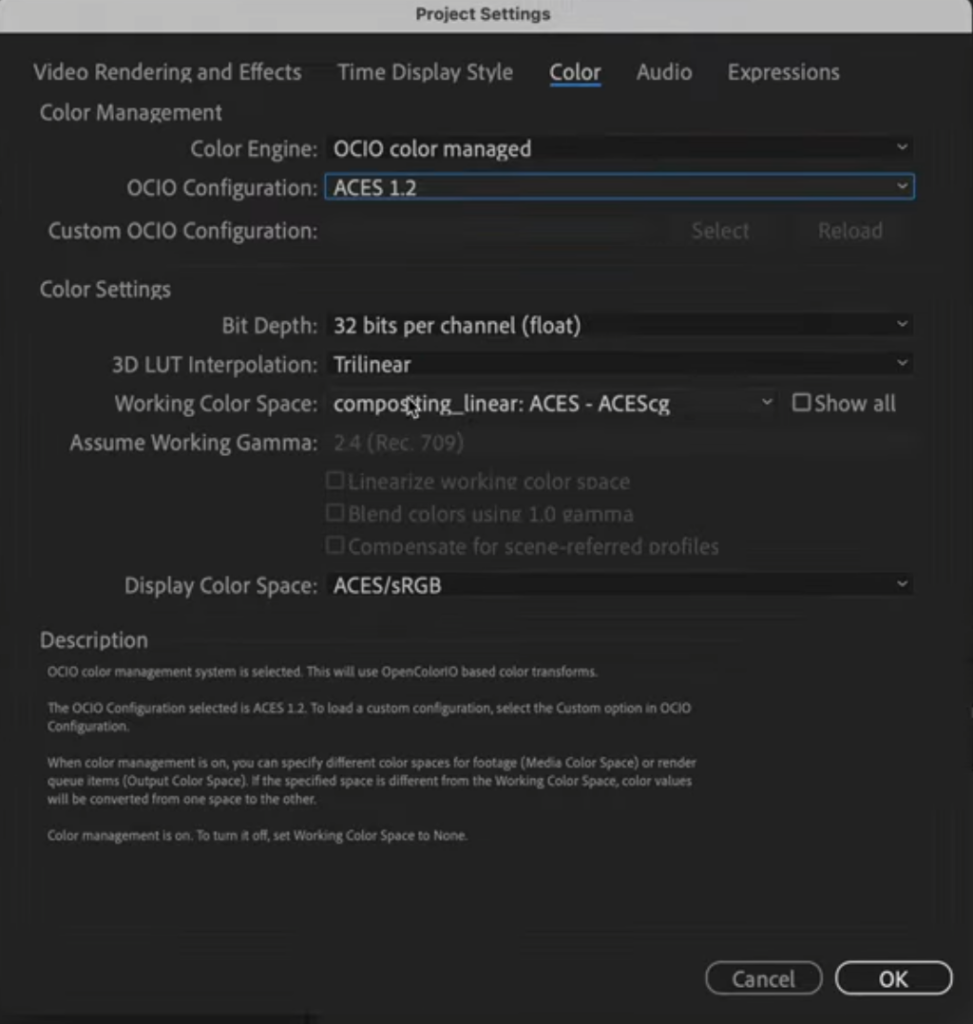
In AfterFX set the ACES linear color-space and output color-space in the project settings.
If you what to know more?
Video:
Unreal to Davinci:
https://www.youtube.com/watch?v=DWIAEzAS3xw
https://www.youtube.com/watch?v=2Q3CybANHKE
AfterFX:
https://www.youtube.com/watch?v=x2sx-P5f-iM&t=74s
Read:
https://academyofanimatedart.com/aces-workflow/
https://www.toadstorm.com/blog/?p=694
Source:
https://github.com/colour-science/OpenColorIO-Configs